Change Digital Human Visual
1 min
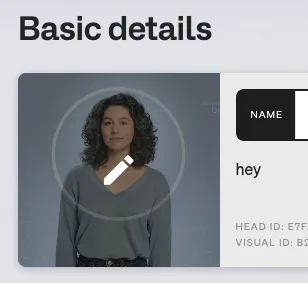
The visual card in Basic Details shows which digital human is currently assigned to your digital human. To swap it out:
- Open your head's settings and go to Basic Details.
- Locate the digital human preview card.
- Click the pencil icon on the card.
- Select an existing visual or upload a new one.
- Save your changes.